
Manage routines: create, save and reuse
A saved routine is a reusable exercise configuration independent of weekdays. A weekly plan assigns exercises to particular days from Monday to Sunday.
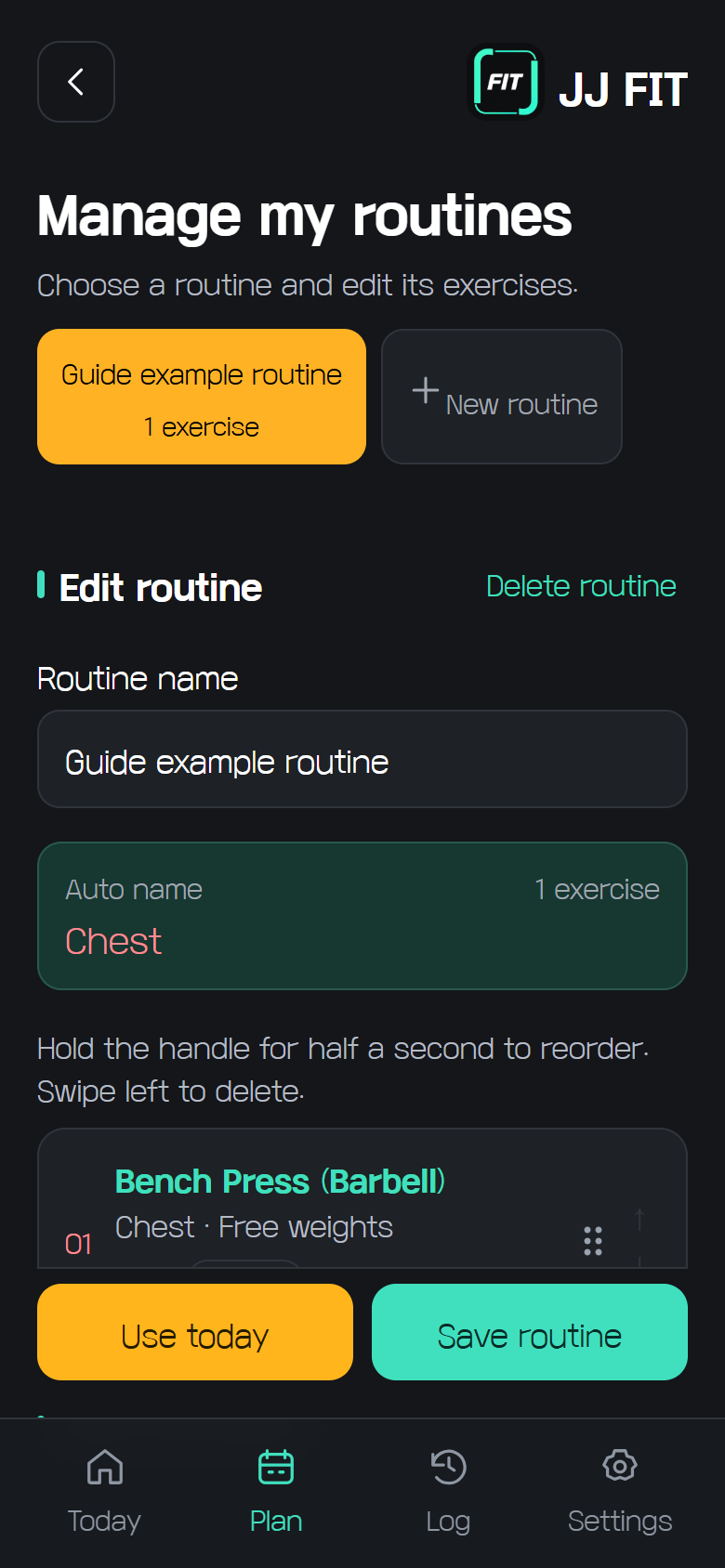
Create a routine
Open My routines from Plan or today’s workout. Choose New routine, enter a name, then select exercises and set counts. Save a combination you use often so you do not have to select every exercise again each day.
Reorder and delete
Hold a handle for about half a second, then drag to reorder. Swipe an exercise left to remove it. Delete routine is a separate action that deletes the entire selected routine.
Save a routine
The mint Save routine button stores a new routine or your edits. Save any changes before applying the routine to today’s workout.
Apply to today
The yellow Use today button replaces the entire current workout after confirmation. In-progress sets and elapsed time are reset, so review your progress first. Weekly plans and previously completed workout records remain. Applying to a weekly plan is a separate feature; applying to today does not change the weekly plan.
Storage and backup
Signed-in routines are stored in the database; guest routines stay on the current device. Guest routines are not included in workout record backup files and can be lost when site data is cleared.