
Front, back, left and right on a Minecraft skin
Use the character as your reference when editing surfaces.
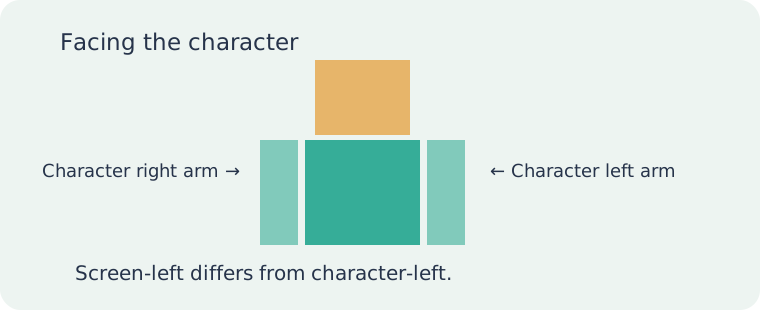
Screen-left is not character-left
When a character faces you, its right arm appears on your left. Confusing these reference frames can put a sleeve detail on the wrong side. Identify the body part before painting.
Start from a known view
Return to the front view, identify the target arm or leg, then rotate toward the surface. This is more reliable than guessing after several unrelated rotations. The front is a reference point, not proof the back is finished.
Inspect hidden surfaces
The torso can obscure the inside of an arm. Use part controls to inspect those surfaces. A missed patch may become visible in motion even if a standing preview hides it.
Follow the seam
A cuff crossing a corner needs matching pixels on the adjoining face. Inspect both sides of the boundary. Rectangles separated in the PNG can meet on the model.
Use a reversible test
Place a temporary mark on a copy if you are unsure which face you are editing. Rotate to locate it, then remove it. Review the back and underside as well as the front before exporting.